📜 Terms and Conditions Effective Date: July 10, 2025 Website:Eidrise.com Welcome to Eidrise. By accessing or using this website, you agree to comply with and be bound by the following Terms and Conditions. If you do not agree, please do not use this website.
1. 📌 Use of Website You agree to use Eidrise.com for lawful purposes only. You must not use this website: In any way that violates applicable laws or regulations. To distribute spam, malware, or harmful content. To copy, republish, or misuse content without permission.
2. 📝 Intellectual Property All content on Eidrise.com — including text, articles, graphics, branding, and original images — is the property of Eidrise unless stated otherwise. You may: Share links to our content with credit. Quote small excerpts (with attribution). You may not: Reproduce full articles or images without written consent. Use our brand name or logo for commercial purposes.
3. 📬 Subscriptions & Emails When you subscribe to our newsletter, you agree to receive emails with updates, tools, or blog content. You can unsubscribe at any time using the link provided in each email.
4. 🧰 External Links Eidrise may contain links to third-party sites. We do not control these sites and are not responsible for their content, privacy practices, or reliability.
5. 📊 Affiliate Disclosure Some blog posts may include affiliate links. If you click and make a purchase, we may earn a small commission — at no extra cost to you. We only promote tools or products we believe in.
6. ❗ Disclaimer of Warranties All content on Eidrise.com is provided for informational purposes only. We make no guarantees about the accuracy, completeness, or reliability of any content. Use any tips, guides, or tools at your own discretion.
7. 🚫 Limitation of Liability Eidrise.com and its team will not be liable for any loss, damage, or inconvenience resulting from the use of this website.
8. 🔁 Updates to Terms We may revise these Terms and Conditions at any time. Continued use of the site means you accept the new terms. Check this page regularly for updates.
9. 📩 Contact Us For questions or concerns about these terms, please contact: 📧 info@eidrise.com
Launching an online store in 2025 isn’t just a side hustle—it’s a serious, salable business opportunity. With more tools, suppliers, and global buyers than ever before, it’s never been easier (or more competitive) to succeed online.
In this guide, we’ll walk through exactly how to launch a profitable eCommerce store from scratch—step by step.
—
Step 1: Choose the Right Niche 🎯
Your niche will make or break your store. You want something that has: – Real demand** (people are searching for it) – Profit margins** (can you make money per sale?) – Personal interest** (you’ll stay motivated)
Use tools like: – Google Trends – TikTok Search – Amazon Best Sellers – Etsy Categories
—
Step 2: Pick Your eCommerce Platform 🛒
Top platforms in 2025: -Shopify (best all-in-one) -WooCommerce** (WordPress users) – Salla / Zid (for Saudi local stores) – BigCommerce (scalable enterprise option)
Compare based on: – Budget – Payment options – Language & localization – Plugins/integrations
—
Step 3: Product Sourcing 📦
You have three main options: 1. Create your own products (handmade, private label) 2. Buy wholesale & store inventory (via Alibaba, local vendors) 3. Dropshipping (via suppliers like CJ Dropshipping or Spocket)
Use product validators: – TikTok search: “Amazon must-haves” – Competitor analysis on X, Threads, or Reddit – Chrome extensions like Koala Inspector
—
Step 4: Legal Setup & Logistics 💳🚚
Set up: – Company license (CR) – VAT registration (if needed) – Return & shipping policies
Digital marketing in 2025 is no longer just about posting on social media. It’s a multi-layered ecosystem built on a few non-negotiable pillars. If you’re missing even one, your growth will stall.
Here are the 5 foundational pillars of a winning digital marketing strategy today:
📈 1. SEO (Search Engine Optimization) — Still King
Despite the rise of social video, Google is still the #1 traffic source for most websites. But SEO in 2025 is not what it used to be.
What’s Changed:
Search intent > keyword stuffing
Google favors topic clusters and expertise-driven content
AI tools like Google SGE (Search Generative Experience) are pushing snippet-style, quick answers
Voice search & mobile UX matter more than ever
What Works in 2025:
✅ Human-written, deeply insightful content (like this blog) ✅ SEO-optimized meta titles, FAQs, headings ✅ Internal linking & clean navigation ✅ Web stories (AMP format) and multimedia content ✅ Fast loading speed and mobile optimization
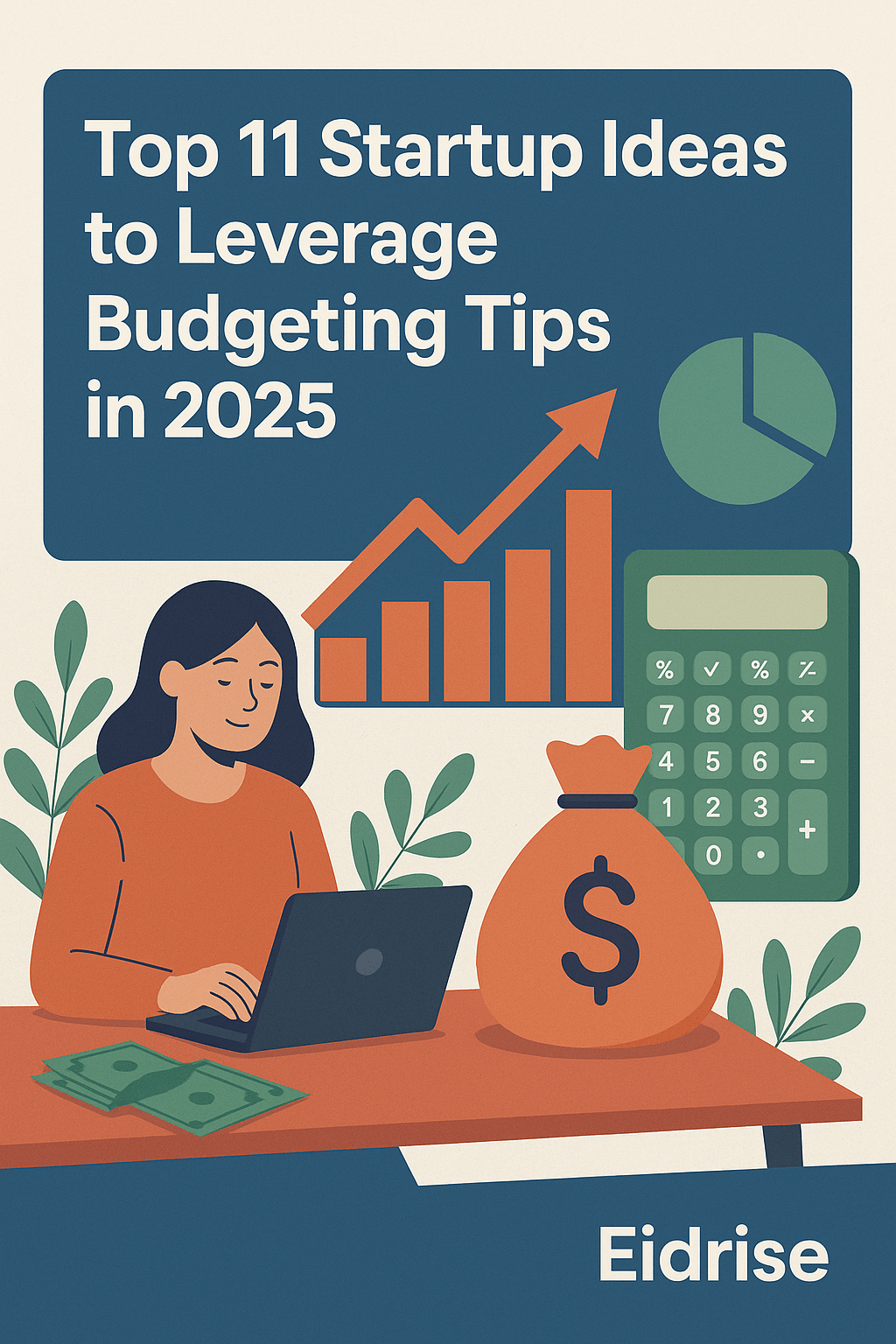
Starting a business in 2025 isn’t about going big — it’s about going smart. With inflation and market competition rising, savvy entrepreneurs are looking for low-cost, high-return startup models. Whether you’re bootstrapping from your bedroom or looking for your next profitable side hustle, this list blends startup innovation with real-world budgeting advice.
Let’s dive into 11 smart startup ideas for 2025 — each paired with money-saving tips to help you launch lean and scale wisely.
1. Virtual Service Agency (Design, Admin, Marketing)
Why it works: No office, no inventory. Just talent + clients.
Budget tip: Use tools like Notion, Canva, and ChatGPT to reduce admin and creative costs. Outsource using platforms like Upwork only when scaling.
2. Subscription Box for a Local Niche
Why it works: Recurring revenue + community appeal.
Budget tip: Start with pre-orders via Instagram and build monthly boxes on-demand. Use local vendors to keep supply costs down.
3. Online Course or Workshop Series
Why it works: Once built, courses generate passive income.
Budget tip: Use Loom or Zoom to record content and host on low-cost platforms like Gumroad or Teachable.
4. Hyperlocal Delivery Business (Coffee, Flowers, etc.)
Why it works: People pay for speed and convenience.
Budget tip: Skip the app. Launch via WhatsApp and Instagram first. Use a shared delivery fleet or contract drivers only during peak hours.
5. AI-Powered Freelance Studio
Why it works: Combine your skills with AI tools for writing, design, or coding.
Budget tip: Use free/cheap AI tools (ChatGPT Free, MidJourney, Runway) and offer faster delivery at better margins.
6. Content Repurposing Micro-Agency
Why it works: Every creator needs help turning podcasts into carousels, tweets into blogs, etc.
Budget tip: Use automation tools (Zapier, Repurpose.io) and package content into bundles for higher perceived value.
7. Home-Based Artisan Food Brand
Why it works: Homemade sells — especially with story-driven branding.
Budget tip: Work with cloud kitchens or shared licensed kitchens. Start at local farmers’ markets before jumping into retail.
8. Digital Product Studio (Templates, Icons, Fonts)
Why it works: Zero inventory, global reach.
Budget tip: Start with 1–3 killer products on Etsy or Gumroad. Bundle products to raise perceived value.
9. Micro-Influencer Management Agency
Why it works: Niche creators often lack time to manage deals or content calendars.
Budget tip: Start by managing 2–3 creators manually, then scale using tools like CreatorIQ or HypeAuditor later.
10. Mobile Car Wash or Pet Grooming Service
Why it works: It’s old-school, but location-based convenience still wins.
Budget tip: Partner with existing car care shops or pet stores. Launch on weekends only at first.
11. Pop-Up Experiential Events Planner
Why it works: Experiences > things. Pop-ups drive viral content.
Budget tip: Partner with local venues on off-days. Share revenue instead of paying rent upfront. Keep inventory minimal.
Final Thought 💡
The smartest startup founders in 2025 won’t be the ones who raise the most money — but those who spend the least to earn the most.
Pick one of these ideas. Set a micro-budget. Launch a basic version in 30 days. Iterate based on real results — not assumptions.
Top 10 Digital Tools Every Entrepreneur Needs in 2025
Introduction
In 2025, success in business doesn’t come from working harder — it comes from working smarter. With the right digital tools, one entrepreneur can now do the job of an entire team. From automating tasks to analyzing data to launching products in minutes — these tools are your new best team members.
Let’s explore the 10 best tools you need to stay ahead in 2025. No matter if you’re freelancing, building a startup, or scaling an empire, these tools are essential.
1️⃣ Notion – Your Brain, But Organized
If you’re still using scattered docs, spreadsheets, and sticky notes… stop. Notion gives you one place for everything:
Task management
Business plans
SOPs (Standard Operating Procedures)
Content calendars And it’s 100% customizable.
💡 Pro Tip: Use free Notion templates to get started in seconds.
2️⃣ Canva – Design Like a Pro Without Being One
You don’t need to hire a designer to look professional. Canva lets you create:
Logos
Pitch decks
Instagram posts
Blog thumbnails
Product packaging
📌 Their AI tools in 2025 now include background removal, animation, and auto-sizing.
3️⃣ ChatGPT – Your 24/7 Copywriter, Marketer & Advisor
This one’s a game changer. Use ChatGPT to:
Write blog posts
Draft emails
Generate business ideas
Create social media calendars
Brainstorm names, taglines, and campaigns
✅ Use it right, and you save hours weekly.
4️⃣ Stripe – Accept Payments Globally with Ease
Want to charge clients or customers online? Stripe makes it easy to accept:
Credit cards
Apple Pay / Google Pay
Subscription payments
One-time digital product purchases
And it’s trusted by millions of startups and creators.
5️⃣ MailerLite – Build and Grow Your Email List
Email is still king. MailerLite offers:
Drag-and-drop newsletter builder
Landing pages
Automation flows
Audience segmentation
Best part? Their free tier is great for early-stage startups.
6️⃣ Trello – Simple Project Management That Works
Trello is your digital whiteboard. Drag tasks between columns, set deadlines, assign teammates — simple but powerful.
Use it for:
Client work
Team collaboration
Launch roadmaps
Content pipelines
7️⃣ Gumroad – Sell Digital Products Without a Website
8️⃣ Loom – Record Quick Videos Instead of Long Emails
Why write a 500-word explanation when you can record a 2-minute video? Loom helps you:
Record your screen + voice
Explain complex processes
Onboard clients or VAs
Create mini tutorials
It builds trust faster than text alone.
9️⃣ Typeform – Create Beautiful Forms & Surveys
Need to get feedback? Pre-qualify clients? Run a quiz funnel? Typeform does it with style.
Use cases:
Lead generation quizzes
Onboarding forms
Product feedback surveys
It’s all about user experience — and Typeform nails it.
🔟 Zapier – Automate Everything Behind the Scenes
Zapier connects 5,000+ tools together so you can automate repetitive tasks like:
Add email signups to Google Sheets
Auto-post blog updates to social media
Send Stripe payments to your accounting app
Trigger workflows from one tool to another
💡 It saves time. It saves sanity. It’s magic.
BONUS: Google Workspace
Yes, it’s still relevant. Gmail + Docs + Sheets + Drive + Meet = Your full productivity suite.
For under $10/month, it’s a no-brainer.
How to Choose the Right Tools for You?
Ask yourself:
What’s slowing me down daily?
What can I automate or delegate?
What tools feel intuitive to me?
Start small. Learn deeply. Grow consistently.
Real-World Stack Examples
Freelancer
Canva (design)
Notion (task mgmt)
Stripe (payments)
Loom (client feedback)
eCommerce Seller
Shopify
Zapier
MailerLite
Canva
Content Creator
Gumroad (products)
ChatGPT (scripting)
Typeform (surveys)
Trello (content planner)
Conclusion
In 2025, your tools are your leverage. They don’t just make you faster — they make you better. Adopt smart tools. Focus on what matters. Let software do the rest.
Which tool do you swear by in your business? Drop it below 👇 And follow @Eidrisefor more future-proof business guides.
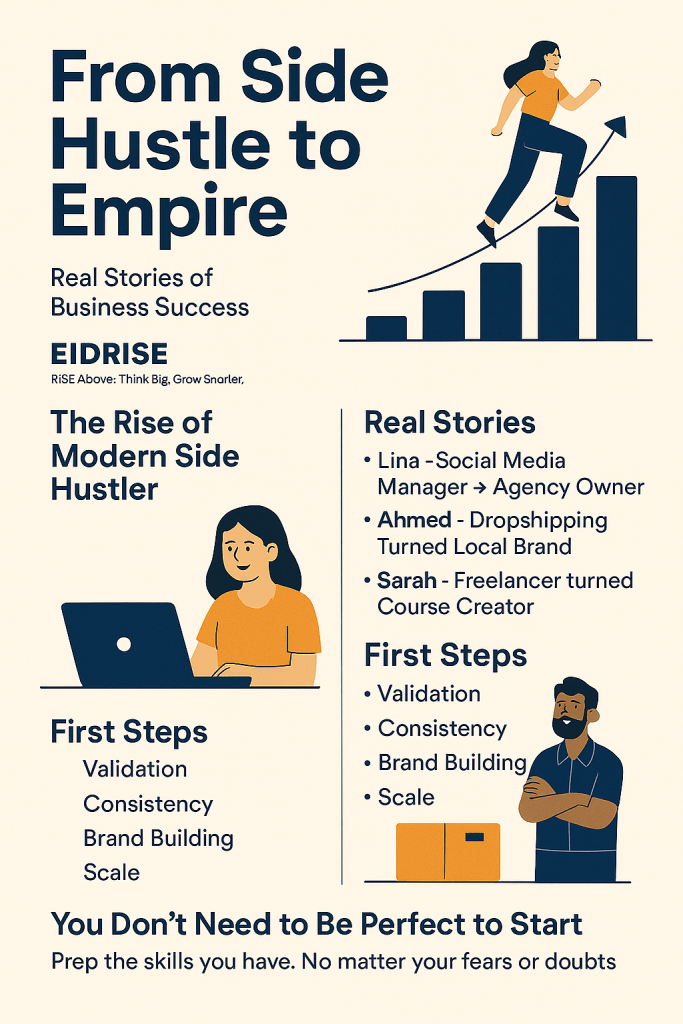
Every major company once started as a simple idea. Some of today’s most successful founders built their empires on the side — after work, between classes, or during weekends. In 2025, side hustles aren’t just extra income — they’re launching pads for freedom, purpose, and generational wealth. In this blog, we’ll dive into real, modern success stories, dissect what made them work, and show you how to do it too.
1️⃣ The Rise of the Modern Side Hustler
Today’s economy is built for creators and solopreneurs. Thanks to tools like ChatGPT, Shopify, and Canva — the barrier to entry is gone.
What used to cost $10,000 to launch, now takes a few hours and $0. The result? Millions starting side hustles that scale into full-time businesses.
2️⃣ Story #1: Lina – Social Media Manager Turned Agency Owner
Started with: 1 Instagram client she managed during lunch breaks Now: Owns a 6-figure agency with 12 clients
What worked:
Overdelivered on results
Documented her work on TikTok
Used Notion & Loom to automate reporting
📌 Lesson: Start with 1 person. Build from results, not followers.
3️⃣ Story #2: Ahmed – Dropshipping to Local Brand
Started with: Dropshipping trendy gadgets from AliExpress Now: Runs his own private-label brand in KSA with fulfillment in Riyadh
What worked:
Validated product demand with ads
Transitioned to branded packaging
Focused on local delivery speed
📌 Lesson: Use dropshipping as a test bed — not the endgame.
4️⃣ Story #3: Sarah – Freelancer to Course Creator
Started with: Freelancing as a content writer for $15/hour Now: Sells digital writing bootcamps that generate $20K/month
What worked:
Built her email list from LinkedIn posts
Recorded her workflow and turned it into a course
Launched on Gumroad + community access via Discord
📌 Lesson: Turn your service into a scalable product.
5️⃣ The Patterns All These Entrepreneurs Share
Despite different industries, they all:
Started small with low risk
Used free/low-cost tools
Focused on serving a niche audience
Documented everything online
Reinvented based on feedback
Scaled smart — not fast
6️⃣ From Side Hustle to Empire – The Phases
Here’s how most empires are built:
Phase 1: Validation Test your idea. Get your first paying client or sale.
Phase 2: Consistency Show up weekly. Build systems. Track metrics.
Phase 3: Brand Building Add identity, polish, content, and a website.
Phase 4: Scale Hire help. Automate. Launch new offers. Expand audience.
7️⃣ Signs You’re Ready to Go Full-Time
Your side hustle income covers 70% of your living expenses
You have 3–6 months of savings
You’re turning down opportunities due to time
Your demand is growing consistently
📌 Don’t quit too early — but don’t wait too long either.
8️⃣ Tools That Helped Them Scale
Canva – Branding, pitch decks
MailerLite – Email automation
Stripe & Tap – Online payments in the Gulf
Notion – Systems and knowledge base
Loom – Client onboarding and team training
Zapier – Automation between platforms
9️⃣ Saudi & GCC Examples of Success
🧕 A student in Jeddah selling modest fashion via TikTok 🚚 A part-time Uber driver launching a mobile coffee cart 📦 A reseller importing home decor and selling through Instagram DMs 🧑🏫 A teacher offering digital math tutoring across the region
Side hustles in the Gulf are exploding — because demand for niche solutions is high and barriers are low.
10️⃣ You Don’t Need to Be Perfect to Start
Don’t wait until you have: ❌ The perfect brand ❌ The full website ❌ A huge audience
Just start. Get one sale. Learn. Tweak. Repeat.
Conclusion
Your side hustle isn’t just a hobby — it’s your freedom plan. The best way to build your dream life is one step at a time. 2025 is the year to bet on yourself. Your empire starts today.
What side hustle are you working on this year? Reply or comment — and follow @Eidrise for real business stories, ideas, and guides to help you grow.
Are you stuck in research mode, waiting for the “perfect” business idea? Here’s the truth: you don’t need a big budget, a co-founder, or a fancy MBA. You need actionable, low-risk ideas that solve real problems and are built to last.
In this post, we’ll share 10 business models that are not only hot today — but will thrive in the next 5–10 years. And yes, many of these can be launched with zero upfront cost.
1. AI Content Editing Services
Businesses love AI tools — until the content sounds robotic. That’s where you come in. Launch a service that reviews and ‘humanizes’ AI-generated content for websites, blogs, and sales pages.
Curated newsletters are exploding — especially niche-focused ones. From AI tools to local investment deals, there’s a hungry audience everywhere.
How to Start:
Use Substack or Beehiiv to launch for free
Pick a problem-solving topic: e.g. ‘remote job hacks’
Promote on Twitter, Reddit, LinkedIn
3. Local Skills Marketplace
Create a small online ‘matchmaker’ for freelancers in your city. People need editors, designers, tutors — but hate going through giant sites.
How to Start:
Set up a Notion or Carrd site
Manually match leads with service providers
Take a fee per match or monthly from freelancers
4. WhatsApp-Based Coaching
Skip Zoom. Build a one-on-one coaching model using just voice notes, PDFs, and private chat groups.
How to Start:
Pick a niche: diet, resume feedback, daily Arabic phrases, etc.
Offer 7-day coaching for a flat fee
Deliver everything asynchronously via WhatsApp
5. Digital Product Bundles
Create and sell bundles of templates, guides, and planners. Target solo creators, job seekers, or students.
How to Start:
Design in Canva or Notion
Sell on Gumroad, Etsy, or Payhip
Bundle to increase perceived value
6. Hyperlocal Delivery Service
Not everything needs a tech platform. Sometimes, success is as simple as delivering groceries or supplies in a neighborhood faster than the big apps.
How to Start:
Use WhatsApp for orders
Partner with local stores or farms
Charge a flat delivery fee or monthly membership
7. Remote Task Agency for Busy Professionals
Many business owners are overwhelmed with recurring tasks — research, formatting, transcriptions. Start an on-demand task service and outsource work via Upwork or interns.
How to Start:
List your services on your blog or a simple site
Use WhatsApp or Trello for task coordination
Bill monthly for retained hours
8. YouTube Channel Without Showing Your Face
Faceless YouTube channels are booming — explainer videos, finance tips, narrated slideshows. With AI tools, this can be built for less than $50.
How to Start:
Use ChatGPT + Canva + CapCut
Choose a monetizable niche like ‘How-To’ or investing
Repurpose content across TikTok and Instagram Reels
9. Niche Blogging with AI + Human Touch
Blogging isn’t dead — bad blogging is. The winning combo? Use AI tools to assist, then add your personal take, case studies, and real advice.
How to Start:
Pick a very specific niche: e.g. ‘car detailing in hot climates’
Use WordPress + RankMath
Write 10 articles, 1 per week, each with original images
10. Digital Business Setup Consultant
Many freelancers or hobbyists want to register businesses, get tax ID, create online presence — but don’t know how. You can walk them through it step by step.
How to Start:
Build a basic site listing packages
Create PDF checklists for each country or state
Offer 1-on-1 support, Zoom or async
Final Thoughts
You don’t need funding to start — you need forward momentum.
These 10 business models aren’t trends. They’re foundations for the future of work — lean, fast, and deeply personal.
Choose one. Start small. Iterate fast. And document your journey along the way.
How to Launch a Business with Zero Capital in 2025
Introduction:
So, you want to start a business but have no money? Welcome to 2025 — where creativity, not capital, builds empires. Gone are the days when you needed a huge budget to launch. Today, the most valuable currencies are skills, strategy, and hustle. In this blog, you’ll learn exactly how to start a business from scratch — no budget, no investors, just pure execution.
1. Shift Your Mindset First (This Is Crucial)
Every zero-budget entrepreneur has one thing in common: They believed it was possible before they made it happen. If you keep saying “I can’t start without money,” you’re already losing. Instead, ask: “How can I start lean and scale smart?”
2. Choose the Right Low-Cost Business Model
Here are 5 top models that require little to no upfront capital:
Service-Based Skills: Copywriting, design, social media management, video editing
Affiliate Marketing: Promote others’ products and earn commissions
Dropshipping: Sell without holding inventory
Digital Products: Sell ebooks, templates, or courses you create
Print on Demand: Sell t-shirts, mugs, or posters without inventory
💡 Pro Tip: Combine more than one model once you gain momentum.
3. Use Free Tools Like a Pro
You can run an entire online business with free tools. Here are a few:
Google Sites / Blogger – Free landing pages or blogs
Mailchimp – Start email marketing (up to 500 contacts free)
Payhip / Gumroad – Sell digital products for free
The trick isn’t having tools — it’s knowing how to leverage them.
4. Build a Brand Without Paying a Designer
Your brand is more than a logo — it’s how people feel when they see your name.
Start with:
A catchy name (use free name generators)
Consistent fonts & colors (Canva Brand Kit)
A mission or tagline (e.g. “Eidrise — Rise Above. Think Big. Grow Smarter.”)
🧠 Remember: Consistency builds trust — not price tags.
5. Use Free Marketing to Get First Customers
You don’t need a paid ad to get traction. Here’s what works:
TikTok + Instagram Reels: Share tips, stories, or demos
Twitter Threads: Teach something daily
Blogger / Medium: Write helpful blogs to build authority
Reddit + Facebook Groups: Answer questions and leave links
Cold Emails & DMs: Reach out to prospects manually
Start with value, then invite people to buy.
6. Sell Before You Build (Test First)
Before you invest time building anything, test demand:
Offer pre-orders
Create a landing page with a “Join Waitlist”
Ask friends or followers: “Would you pay for this?”
📈 If people say “YES” — you’re ready to build. If not? Tweak and try again.
7. Monetize What You Already Know
You already have something people will pay for. Ask yourself:
What do people always ask me to help with?
What skill have I mastered from school or work?
What could I teach a 10-year-old that others find hard?
Turn that into:
A service
A coaching offer
A guide or template
8. Case Studies: Real Businesses Started With $0
1. Sarah – Social Media Freelancer Started with just her phone. Posted tips online. Got her first client in 2 weeks.
2. Omar – Digital Product Creator Wrote a 10-page guide on productivity, sold it on Gumroad. Made $1,200 in the first month.
3. Lina – Print on Demand Store Used Canva + Printful to launch a motivational T-shirt store. Built a community on TikTok.
You could be next.
9. Don’t Quit Your Job… Yet
Start lean. Build at night. Use weekends. Once your business earns enough to cover 3–6 months of expenses, consider going full-time.
You’re not failing if you still have a job — you’re investing in stability.
10. Scale Smart: Free to Paid Strategy
Once the cash starts coming in:
Upgrade to paid tools like ConvertKit, Shopify, etc.
Invest in automation and marketing
Hire freelancers or part-time help
Build systems (SOPs, templates, workflows)
Grow from solo hustler → smart CEO.
FAQs
Q: Is it really possible to start a business with no money? A: Yes. Many businesses today started with nothing but time and skills.
Q: What if I have no skills? A: You can learn for free online — YouTube, Coursera, ChatGPT, Google.
Q: How long before I make money? A: Many people see results within 30–90 days with consistent effort.
Conclusion
Starting a business in 2025 isn’t about how much money you have. It’s about how resourceful, creative, and consistent you are.
You don’t need capital — you need commitment.
Start today. Your future self is waiting.
Follow Eidrisefor more real-talk business guides, tools, and strategies. And tell us in the comments: 💬 What business would you start if money didn’t matter?
Ready to see your online store grow without breaking the bank? You can use free traffic marketing tools to save time, reach more people, and keep your brand looking sharp. Tools like Buffer and Mailchimp help you connect with customers, schedule posts, and understand what works. Hotjar even shows you where shoppers get stuck so you can fix issues fast. Stores using these tools usually grow faster and keep customers coming back.
Free marketing tools let you save money and grow your store.
Pick one tool from each group: SEO, social media, content, email, and analytics. This helps you get more visitors.
SEO tools like Google Search Console help your store show up higher in search results. They bring more people to your site.
Social media tools like Buffer and Canva help you make fun posts. They also save you time.
Use analytics tools often to check your progress. This shows what works and helps you change your plan if needed.
Why Use Free Tools
Cost Benefits
Starting an online store can be hard. Many marketing tools cost a lot. Free tools help you save money and still work well. Google Analytics and Google Search Console let you track your website for free. They also help you make your SEO better. Canva gives you free templates for cool graphics. You do not need to pay a designer. Mailchimp’s free plan lets you send 10,000 emails each month to 2,000 people. Buffer lets you schedule social media posts for free. TinyJPG makes your images load faster. This keeps shoppers happy. Bitly shortens your links and tracks clicks for free.
Google Analytics and Search Console: Free website tracking and SEO tools
Canva: Free marketing visuals and templates
Mailchimp: Free email marketing for up to 2,000 subscribers
Buffer: Free social media scheduling
TinyJPG: Free image optimization
Bitly: Free link shortening and tracking
When you use these tools, you can spend more money on your products and helping customers, not on expensive software.
You can start with free tools and upgrade later. Most new stores only need free tools to begin with.
Want more tips and free resources? Subscribe now so you never miss an update!
Traffic Marketing Tools Overview
Want to get more people visiting your online store? You need the right traffic marketing tools. Each tool helps you in a different way. Let’s look at the main categories and see how they work together to bring more shoppers to your site.
Runs ads to get quick visits. You pay for these, but they can boost your numbers fast.
Direct Traffic
Comes from people who type your web address right into their browser. This shows your brand is strong.
Social Media Traffic
Shares your products on platforms like Instagram and Facebook. This gets people talking and clicking.
Referral Traffic
Arrives from links on other websites. These visitors often want what you offer.
You can also use content marketing, email, and analytics tools to help even more. These tools keep people interested, help you understand what works, and make sure your store runs smoothly.
SEO Tools
SEO tools help your store appear higher in search engines like Google. They show you what words people search for and help you fix problems on your site. When you use these tools, you get more organic traffic without paying for ads.
Social Media Tools
Social media tools let you plan and post on sites like Instagram, Pinterest, and Facebook. You can create eye-catching posts, schedule them, and track what people like. These tools help you reach new shoppers and keep your followers engaged.
Content Marketing Tools
Content marketing tools help you write blogs, create videos, and share helpful tips. Good content brings people to your store and keeps them coming back. You can also work with influencers to reach even more people.
Email Marketing Tools
Email marketing tools let you send updates, deals, and news right to your customers’ inboxes. You can set up welcome emails, send newsletters, and remind people about their carts. This keeps your store top of mind.
Analytics Tools
Analytics tools show you what’s working and what’s not. You can see where your visitors come from, what they click, and how long they stay. This helps you make smart choices and grow your store faster.
📈 Tip: Try using one tool from each category to see what works best for your store.
Want more tips and free resources? Subscribe now so you never miss an update!
Do you want your online store to show up higher in search? You need the right SEO tools. These tools help you find the best keywords. They also help you fix problems on your website. You can see how your site is doing over time. Using these tools brings more visitors without paying for ads. Here are some top free SEO tools you should try.
Google Search Console
Every online store should use Google Search Console. It helps you see how your site looks in Google search. You can check clicks, impressions, and your average spot. This tool shows which pages get the most visits. It also shows which keywords bring people to your store.
Here’s what you get with Google Search Console:
Feature
Description
Benefit
Performance Tracking
Tracks clicks, impressions, CTR, and average position
See which keywords and pages drive traffic
Indexing & Crawling Insights
Shows indexed pages, crawl errors, and indexing issues
Fix problems so Google can find your pages
Mobile Usability Report
Finds mobile experience issues
Make sure your store works well on phones
URL Inspection Tool
Checks if a page is indexed and lets you request re-indexing
Quickly fix and update pages in Google
Backlink Analysis
Reports backlinks and anchor text
Understand your site’s authority and ranking potential
Security Alerts
Notifies about security issues or manual actions
Keep your store safe and avoid penalties
Integration with Google Tools
Connects with Google Analytics and other tools
Get a full picture of your traffic and user behavior
Ubersuggest is a good tool for beginners. You can use it to find new keywords. It also checks your site’s SEO health and gives you ideas for content. The interface is simple and easy to use. Just type in a word about your products. Ubersuggest gives you keyword ideas, search volume, and how hard it is to rank.
Here’s how Ubersuggest compares to other tools:
Aspect
Ubersuggest
Long Tail Pro
User Interface
User-friendly, simple, good for beginners
More complex, steeper learning curve
Keyword Competition
Basic competition data
Detailed competition analysis
Features
Instant keyword insights, site audit, content ideas
Deep keyword research, rank tracking
Data Accuracy
Sometimes less reliable, surface-level data
More consistent and detailed results
Pricing
Free version available, affordable paid plans
No free version, higher cost
Usability
Easy to navigate, quick results
Powerful but can be overwhelming
🎯 Note: Ubersuggest gives you quick keyword ideas and checks your website for SEO problems. If you want something easy, start here.
Do you wonder what questions people ask about your products? Answer the Public shows you real search questions and phrases. This tool helps you know what your customers want to learn. You can use these questions for blog posts, FAQs, or product descriptions.
Here’s how Answer the Public helps you plan content:
Shows the exact questions and search terms people use.
Groups keywords by buyer journey stages: informational, navigational, commercial, and transactional.
Matches popular queries to your website content, so you answer all customer questions.
Suggests long-tail keywords that are easier to rank for and bring in targeted traffic.
Lets you export data and organize your research for better planning.
💡 Tip: Use Answer the Public to find content gaps. If you answer the questions people ask, you can get more visitors and make your store more trusted.
Keyword optimization helps you get more organic traffic. You want to use the right words on your product pages, blog posts, and URLs. Free tools like Google Keyword Planner and Google Trends help you find keywords that shoppers use. When you use these keywords, your store shows up higher in search.
Here’s a simple way to do keyword optimization:
Use Google Keyword Planner to find new keywords for your products.
Pick keywords with good search volume and low competition. Long-tail keywords work best for new stores.
Organize your keywords to build a clear site structure and plan your content.
Add keywords to your URLs, title tags, and meta descriptions. Keep them short and easy to read.
Write content that uses your keywords naturally. Don’t stuff them in—make it sound natural.
Check Google Trends to see which keywords are popular right now.
Track your rankings and traffic. Change your plan if you see changes.
Free SEO tools help you find keywords with high search volume and low competition.
Optimizing your pages with these keywords brings in more visitors who want to buy.
On-page SEO improvements, like better titles and meta descriptions, make your store easier to find and use.
Regular tracking helps you see what works and what needs fixing.
📈 Note: Stores that use keyword optimization with free SEO tools often get more visitors and higher sales. You can do this without spending money.
Why SEO Tools Matter for Your Store
When you use SEO tools, you get more than just numbers. You get a plan for growing your store. These tools help you find what shoppers want, fix problems, and make content that brings steady traffic. If you use SEO tools with other traffic marketing tools, you can build a strong base for your online business.
🚀 Ready to grow your store? Try these SEO tools today and see the difference. Want more tips and free resources? Subscribe now so you never miss an update!
Social media can bring a lot of new shoppers to your store. The right tools help you save time, look professional, and connect with your audience. Let’s check out some favorites that make social media work for you.
Buffer
Buffer makes it easy to plan and schedule posts for all your social media accounts. You can set up posts for the week in just a few minutes. Buffer’s dashboard lets you see and reply to comments from one place, so you never miss a message. You also get helpful reports that show when your followers are most active and which posts get the most likes. If you use Shopify, Buffer connects your store data to your social posts, helping you see what works best. Many store owners love Buffer because it keeps things simple and helps you stay organized.
🕒 Tip: Schedule your posts ahead of time so you can focus on running your store.
Canva lets you create eye-catching graphics and videos for free. You don’t need to be a designer. Just pick a template, drag and drop your photos, and add your text. Canva has over a million templates for every kind of post—stories, ads, or product launches. You can even add animations and music to make your posts stand out. Canva’s tools help you keep your brand looking sharp and consistent across all platforms.
Linktree solves the problem of having only one link in your Instagram or TikTok bio. With Linktree, you can share all your important links—your store, blog, sales, and more—in one place. This makes it easy for shoppers to find what they need. You can even track how many people click each link. Linktree helps you boost engagement and drive more traffic to your store.
Pinterest and Instagram are powerful for online stores. Pinterest’s unique layout keeps people scrolling and discovering new products. Users spend more time here than on other platforms, and most are ready to shop. Pinterest’s visual search helps shoppers find exactly what they want, and 80% of users discover new brands every week. Instagram is also great for sharing photos and videos of your products. Both platforms help you reach shoppers who love to browse and buy.
Pinterest’s grid layout boosts engagement by 47% and keeps users browsing longer.
85% of weekly Pinterest users buy products they find on the platform.
Instagram’s visual style makes it perfect for showing off your products and building your brand.
📣 Want to keep learning about the best traffic marketing tools? Subscribe now and get the latest tips for your online store!
Content Marketing Tools
Creating great content helps your store stand out and brings more visitors. You can use different tools to write, edit, and share your ideas. Let’s look at some favorites that make content marketing easy and fun.
Blogging Platforms
Blogging gives your store a voice. You can share tips, product stories, and updates. Here are some top free blogging platforms you can try:
Platform
Key Features & Benefits
Pros
Cons
Price
WordPress.com
Custom themes, plugins, SEO tools, Google Analytics integration
Strong SEO, lots of options
Needs some tech skills, ads on free plan
Free
Wix
Drag-and-drop editor, 800+ templates, SEO tools, free hosting with ads
You want your writing to look professional and easy to read. Grammarly checks your spelling, grammar, and even your tone. It helps you write clear and catchy blog posts, product descriptions, and emails. Here’s how Grammarly makes your content better:
Fixes grammar and spelling mistakes so your store looks trustworthy.
Makes your writing clear and easy to understand.
Checks your tone to match your audience.
Finds and removes copied content to keep your posts original.
Suggests better words to make your writing pop.
Gives real-time feedback so you can edit fast.
Helps you keep your unique style.
Supports SEO by making your posts readable and keyword-friendly.
Works on many platforms, so your writing stays sharp everywhere.
Shows reports to help you improve over time.
✨ Good writing builds trust and keeps shoppers coming back.
Great images make your content pop. Pexels gives you free, high-quality photos and videos. You can use them in your blog, social posts, or ads. Just search for what you need and download. No need to worry about copyright. Pexels helps your store look professional without spending money.
Working with influencers can bring lots of new shoppers to your store. You don’t need a big budget to get started. Here’s how you can use influencer collaboration as a free strategy:
Pick influencers whose followers match your target shoppers.
Micro-influencers help you reach niche groups with strong engagement.
Ask influencers to share user-generated content (UGC) like reviews, unboxing videos, or photos.
Run hashtag campaigns, contests, or giveaways to create buzz and community.
Share influencer content on your own channels to boost your brand.
Track results by checking reach, engagement, and website visits.
🤝 Influencer partnerships feel real and build trust. They work well as part of your traffic marketing tools.
Want more tips and free resources? Subscribe now so you never miss an update!
Email Marketing Tools
Email marketing lets you keep in touch with your customers. You can send news, deals, and reminders straight to their inbox. The best thing is that many top email platforms have free plans. This means you can start without spending any money.
📨 Tip: Try a free plan first. You can upgrade later as your store gets bigger.
Mailchimp
Mailchimp is popular with small businesses. You can use a drag-and-drop editor to make emails quickly. The free plan lets you send 10,000 emails each month to 2,000 people. You can set up simple automation, like welcome emails and order updates. Mailchimp works with Shopify and WooCommerce, so you can see sales from your emails.
Sender gives you strong tools that are easy to use. You can make nice emails with ready-made templates. The free plan covers 2,500 subscribers and 15,000 emails each month. Sender lets you set up welcome emails and reminders for abandoned carts. You can also see who opens your emails and what they click.
Benchmark Email is easy for anyone to use. You can choose from many templates and send 3,500 emails each month to 500 people for free. Benchmark Email lets you set up simple automation, like birthday emails and follow-ups. You also get reports to see how your emails do.
Email automation saves you time and helps you sell more. You can set up welcome emails for new people. You can remind shoppers about things left in their cart. Many free tools let you send order confirmations and birthday deals. These emails keep your customers interested and bring them back.
Automation Type
What It Does
Why It Matters
Welcome Email
Greets new subscribers
Builds trust from the start
Abandoned Cart Reminder
Reminds shoppers about items left in cart
Recovers lost sales
Order Confirmation
Confirms purchases
Gives peace of mind
Birthday Discount
Sends a special offer on birthdays
Makes customers feel valued
🚀 Automation helps you get leads and keep them—no coding needed!
Want more tips to help your store grow? Subscribe now and get updates sent right to your inbox!
Analytics & Optimization Tools
You want your online store to grow. To do that, you need to know what works and what doesn’t. Analytics and optimization tools help you track visitors, see how they use your site, and fix problems fast. These tools show you where shoppers click, where they get stuck, and how fast your pages load. When you use them, you can make smart changes that boost sales and keep customers happy.
Google Analytics
Google Analytics gives you a clear view of your store’s performance. You can see how many people visit, where they come from, and what pages they like most. This tool tracks every step of the customer journey. You can spot which products get the most attention and which pages need work. Google Analytics also helps you set goals, like tracking sales or sign-ups. With these insights, you can focus on what brings the best results.
📊 Tip: Check your Google Analytics dashboard each week. Look for trends and see which marketing efforts pay off.
Microsoft Clarity lets you watch how visitors move through your store. You get heatmaps that show where people click and scroll. Session recordings let you see real user journeys. Clarity highlights where shoppers drop off or get confused. You can use this info to fix tricky spots and make your site easier to use. The best part? Clarity is free and easy to set up.
👀 Watch real sessions to spot problems you might miss.
Hotjar helps you understand your customers’ feelings. It shows you heatmaps, session replays, and feedback polls. You can see which buttons get the most clicks and which pages make people leave. Hotjar’s feedback tools let shoppers tell you what they like or dislike. This helps you make changes that improve the shopping experience and increase sales.
Heatmaps show popular areas on your site.
Session recordings reveal real user paths.
Feedback polls gather direct opinions from visitors.
Fast websites win more customers. If your store loads slowly, shoppers leave. Even a one-second delay can drop your sales by 7%. Mobile users expect pages to load in three seconds or less. If your site feels slow, they will go somewhere else. You can speed things up by compressing images, using caching, and picking a good hosting provider. Make sure your site looks great and works well on phones. A smooth mobile checkout keeps shoppers from abandoning their carts. After stores improve mobile speed, they often see bounce rates drop and sales rise.
🚀 Quick Fix: Test your site on your phone. If it feels slow, try shrinking images or removing extra plugins.
Analytics and optimization tools help you spot problems, test new ideas, and keep your store running smoothly. When you use these tools, you make better decisions and stay ahead of the competition.
Want more tips to grow your store? Subscribe now and get the latest updates sent right to your inbox!
Combine Tools for Results
Bringing all your free marketing tools together can make your store stronger. When you combine them, you get a clear plan and better results. Here’s how you can do it step by step.
Set Goals
Start by deciding what you want to achieve. Maybe you want more visitors, higher sales, or more email signups. Make your goals specific and easy to measure. For example, you might want to double your product reviews by the end of the month or boost sales by 10%. Use tools like Notion or Databox to write down your goals and track them. These tools help you see your progress in real time and keep you focused.
🎯 Tip: Pick one main goal at a time. This keeps you from feeling overwhelmed and helps you stay on track.
Next, create a simple workflow. Think about which tools you need for each step. For example, you might use Canva to design a post, Buffer to schedule it, and Google Analytics to see how it performs. Assign tasks to team members or set reminders for yourself. Use project management apps like Trello or Todoist to organize your work. This helps you stay consistent and saves time.
Choose your main channels (like Instagram or email).
Plan your content and schedule posts.
Collect leads and follow up with email automation.
Keep an eye on your numbers. Use dashboards in Google Analytics or Databox to watch your traffic, sales, and signups. Set up regular check-ins—maybe every week or month—to see what’s working. If you notice something isn’t helping, try a new tool or change your approach. Assign someone to own each goal so nothing gets missed.
Tool
What It Tracks
How It Helps You Improve
Google Analytics
Website visitors, sales
Shows what brings people in
Databox
SMART goals, KPIs
Visualizes progress in real time
Trello
Tasks, deadlines
Keeps your team on schedule
📊 Stay flexible. Change your plan as you learn what works best for your store.
Want more tips and easy guides? Subscribe now and get the latest updates for your online store!
Extra Tips for Traffic Growth
Looking for more ways to get people to your online store? Here are some extra tips that can help you stand out and bring in more visitors—without spending a dime.
Referral Systems
Referral systems work like magic for online stores. When happy customers share your store with friends, you get new shoppers who already trust you. You can set up a simple referral program that rewards people for bringing in others. Try these ideas to boost your referrals:
Partner with other businesses that have similar shoppers. You both get new visitors.
Make content that people want to share, like fun videos or helpful guides.
Stay active on social media. The more you engage, the more people talk about your store.
Join online groups and forums where your customers hang out. Answer questions and share your knowledge.
Welcome top referral partners with special popups or thank-you notes.
Create landing pages just for visitors from certain partners or social channels.
Give special offers to people based on where they found you, like Instagram or Facebook.
Use unique codes for influencers so you can see which ones bring in the most sales.
🏆 Tip: A good referral program can turn your best customers into your best marketers.
Sometimes shoppers visit your store but leave without buying. Remarketing helps you bring them back. You can use free tools to remind visitors about your products. Here’s how you can do it:
Send a friendly email to people who left items in their cart.
Show ads to past visitors on social media or other websites.
Offer a special discount to people who almost bought something.
Remarketing keeps your store fresh in people’s minds. Many shoppers just need a little nudge to come back and finish their purchase.
Building a community around your store can make a huge difference. You can join local events, support charities, or even host your own meetups. Here are some ways to connect with your community and boost your local SEO:
Use your customer data to send special offers to your most loyal fans.
Support local causes and link your sales to charity. People love brands that give back.
Offer small perks in-store, like free coffee or water, to make shoppers feel welcome.
Get listed on Google My Business and ask happy customers to leave reviews.
🌟 Note: When you help your community, your store becomes more than just a place to shop—it becomes a place people remember.
Want more easy tips and free resources for your store? Subscribe now and get the latest updates sent right to your inbox!
You have so many free ways to grow your online store. Try working with micro-influencers for real engagement. Use AI to find the best creators for your products. Start email marketing with beginner-friendly tools like Mailchimp. Watch how visitors use your site and keep making small changes. Pick one tool from each category and see what works for you. Stay curious, track your progress, and keep learning!
Email marketing gives you a strong return, even on a free plan.
Website analysis helps you spot what to improve.
🚀 Ready to boost your store? Subscribe now for more tips and updates!
FAQ
How do I pick the best free tool for my online store?
Start with your biggest need. Do you want more visitors, better emails, or cool graphics? Try one tool from each category. Test them for a week. See what feels easy and gives you results.
🛠️ Tip: Don’t be afraid to switch tools if something doesn’t fit your style!
Yes! You can mix and match most free tools. For example, design in Canva, schedule with Buffer, and track results in Google Analytics. This combo helps you save time and get better results.
Free tools work great for new stores. As your store grows, you might want more features. Most tools offer paid plans with extras. Upgrade only when you need more power or support.
Check your numbers! Look at your website visits, sales, or email signups. If you see growth, the tool helps. If not, try something new. Always track your progress.
📈 Note: Set a small goal and review your results every week.
Most popular free tools keep your data safe. Always use strong passwords and turn on two-factor authentication. Read reviews before you sign up. If you see anything strange, stop using the tool.